Voice Widget vs Live Chat: 24/7 Without Staffing
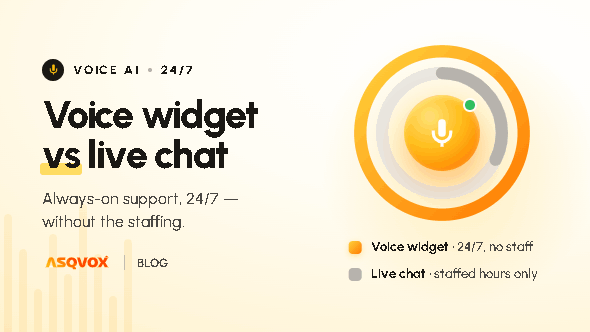
Live chat only works when a human is sitting there to answer. Outside hours, or when your team is busy, the visitor waits or gets nothing at all. A voice widget runs on its own, every hour of every day, answering from your content the moment a visitor asks. Here's how the two compare, and where a real person still matters.
Who's weighing a voice widget against live chat
This usually comes up when you're running live chat, or thinking about it, and the staffing maths starts to bite. Live chat is only as good as the person on the other end being available, and that's the catch. You need people online to answer, which means coverage gaps the moment they're not, and a cost that grows with every hour you want covered. The question behind "voice widget vs live chat" is whether you can give visitors an instant answer without keeping someone on standby to provide it.
The core difference: live chat needs a human, the Orb doesn't
Live chat puts a person on the other end of the conversation. When that person is there and free, it works well. The problem is everything around that condition. Outside working hours, the chat goes unanswered or falls back to a basic bot. When your agents are busy juggling several conversations at once, the visitor waits in a queue. When someone's on leave, that's coverage gone.
A voice widget runs autonomously. AsqVox's Orb answers from your own content the moment a visitor asks, with no one needing to be online for it to happen. There's no queue, no working hours, no leave. A visitor at 2am gets the same answer as a visitor at 2pm.
Faster than typing to an agent, even when one's free
The coverage gap is the obvious difference, but there's a subtler one. Even when a human agent is available, the visitor has to type their question and then wait for a reply from someone who's likely handling other chats at the same time. Voice removes both halves of that. Speaking carries less friction than typing, and the answer comes back immediately, because the Orb isn't splitting its attention across a dozen conversations.
What the Orb brings to the conversation
It answers from your real content. The Orb retrieves from the knowledge base you give it and answers from that, so the replies are grounded in what's actually true about your business, consistently, every time. A live chat answer is only as consistent as the agent typing it.
It steps in on intent. Rather than waiting for the visitor to open a chat window, it engages when they're about to leave, when they've scrolled past around half the page, or after a few seconds on it.
It still does text. Voice is the point, but the widget has a text chat mode too, so a visitor who can't or would rather not talk can type instead.
It captures the conversation. You get a transcript and recording, a summary, the tone of the conversation (positive, neutral or negative), and any contact details the visitor shared, so nothing from the exchange is lost.
When a real person still matters
We're not going to claim a widget replaces your team. Some conversations genuinely need a human, anything complex, sensitive or high-stakes, a negotiation, an upset customer who needs to feel heard, or simply a visitor who wants to speak to a real person. For those, you'll still want your people, and that's right. What the Orb does is take the front line and the common, repeating questions off their plate, around the clock, so your team has the room and the time for the conversations that actually need them. That's the honest split: the Orb handles the volume, your people handle the ones that matter most.
When the Orb is the better call
The Orb earns its place when you can't realistically staff live chat across every hour your visitors are active, when queues and wait times are costing you visitors, when you want consistent answers rather than ones that vary by whoever's online, and when speed of response decides whether a visitor stays. If coverage and cost are the reasons live chat is hard to sustain, that's exactly the gap the Orb closes.
Getting started
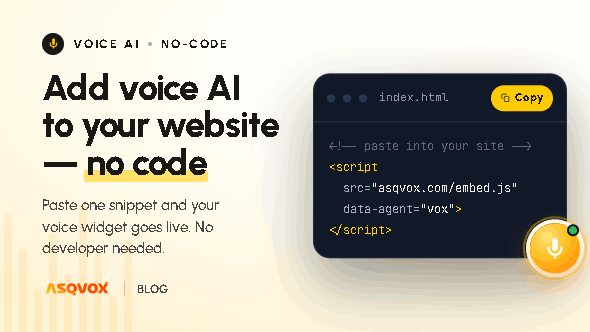
Standing this up adds no headcount and no code. A short guided setup produces a single script tag you paste onto your site, and the Orb then handles the front line on its own, with no rota to fill and no agents to keep online. For the full setup walkthrough, see how to add voice AI to your website.
Frequently asked questions
Does a voice widget replace live chat?
For the front line and the common questions, yes, and it does it around the clock without staffing. For genuinely complex, sensitive or high-stakes conversations, you'll still want a real person, and the Orb frees your team's time for exactly those.
Does it work outside business hours?
Yes. It runs every hour of every day, so visitors get an instant answer even when no one on your team is online.
Is talking to the Orb faster than a live chat?
Usually. With live chat the visitor types and waits for an agent who may be handling several chats. The Orb answers immediately and lets the visitor speak rather than type, which is lower friction.
Will its answers be consistent?
Yes. It answers from the knowledge base you give it, so the replies stay grounded and consistent, rather than varying by whichever agent happens to be online.
Can visitors still type if they don't want to talk?
Yes. The widget has a text chat mode, so anyone who can't or would rather not speak can type instead.