HighLevel Voice Widget Alternative for Your Website
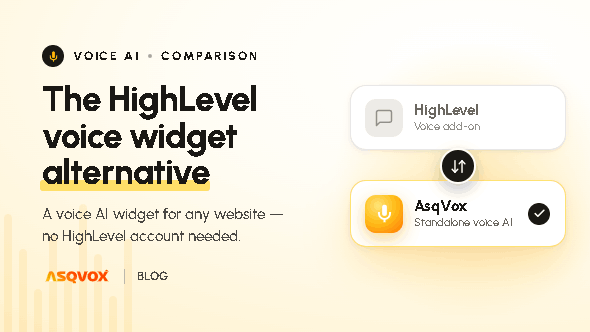
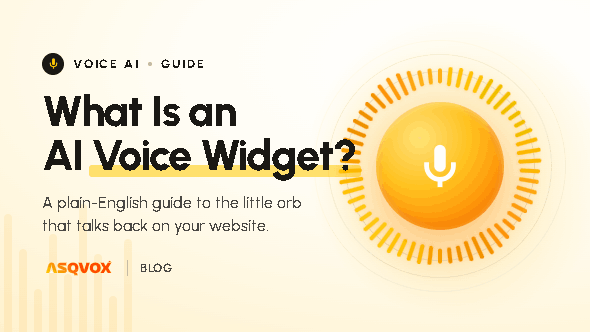
AsqVox is an AI voice widget that lets people have a conversation with your website, instead of scrolling through pages to find what they came for. Whatever intent a visitor hops in with, the Orb helps them find it and presents it quickly, without much digging. It isn't a CRM. It's a voice widget you add to your site with one script tag.
Who looks for a HighLevel voice widget alternative
Most people who go looking for a HighLevel voice widget alternative want one thing: to put voice on their website so visitors engage more and, in the end, convert better. They're not shopping for a CRM. They already have a website; they just want voice on it.
HighLevel can put a voice widget on a page, but that widget comes inside a full agency platform built around CRM, funnels, pipelines and calling, inbound and outbound, with a receptionist agent on top. To get the widget, you take on the whole platform. If voice on your site is all you actually want, that's a lot to adopt for one piece of it.
We built AsqVox the other way around. It isn't a platform with voice tucked inside it. It's the voice widget itself, made for one job: helping visitors find what they came for by talking to the site, instead of digging through your pages to find it themselves.
The real difference: a CRM with voice, vs. a voice widget
The choice mostly comes down to what each one actually is. HighLevel is a CRM, a big one, with an AI voice receptionist and a calling agent built in, and that voice is mostly about phone calls. AsqVox is only a voice widget that works on your website, and its voice is about the visitor already on your page, the one who hopped in with some intent and wants the exact thing they're after, fast, without going through your whole site to find it.
They're two different products doing two different jobs, and once that's clear, most of the "which one" question answers itself.
What the Orb does that HighLevel's widget doesn't
It activates on the visitor's intent, not just on a click
This is the part that really sets the two apart. HighLevel's widget waits for a click. If the visitor never clicks it, nothing happens.
The Orb doesn't wait. It reads what the visitor is doing and steps in on its own, when someone is about to leave the page, when they've scrolled past around half of it, or after they've spent a few seconds reading. Those are the moments a visitor is most likely to have a question, or about to drop off and leave. So instead of hoping someone notices a bubble and decides to click it, the Orb shows up right when the intent is there. For a widget whose whole job is engagement and conversion, that's the difference that matters the most.
It answers from your content through retrieval, not a stuffed prompt
Both products let you give the agent knowledge to work from, but the way they do it isn't the same.
HighLevel's widget is prompt-based. You write the agent's instructions into a prompt, up to around 4,000 words, and tune a setting or two. The Orb works on retrieval instead. You upload whatever you've got, a text file, a doc, a PDF, and we summarise it at the backend into one or more .md files that the agent pulls from in real time, only the part it needs, right when it answers. That keeps the agent light, keeps replies fast, and keeps every answer tied to your knowledge base and nothing else. So the Orb answers from your actual content rather than improvising something.
And the more your business has to say, the more that way of doing it shows. A prompt can only hold so much, so once your knowledge base grows past a short FAQ, packing it all into instructions starts to strain. Retrieval doesn't have that ceiling. It pulls the relevant piece at the moment of answering, however big your knowledge base gets, so the answers stay grounded as you keep adding to it.
It reads the tone, not just the transcript
Both products give you transcripts, recordings and summaries once a conversation ends. Our dashboard goes a step further and reads the tone of each one, positive, neutral or negative, so you can see how visitors felt, not only what they asked.
What's the same on both sides
A fair bit of this is the same either way, and there's no point pretending otherwise. With the Orb or with HighLevel's widget you get post-conversation transcripts, recordings and summaries, a large voice library (200+ voices, 11Labs included), several widgets under one account, contact capture from conversations, bot-attack protection, and the ability to embed almost anywhere and white-label the branding.
There's also one place HighLevel is ahead of us today: it does English and Spanish, switching between them on the fly. We're English-only for now, with a range of global accents to choose from, UK, Indian, African and more, and broader multilingual and regional-language support is on the roadmap. If you need Spanish out of the box right now, that's a point in HighLevel's favour, and we'd rather say that plainly than hide it.
HighLevel vs. AsqVox at a glance
HighLevel Voice Widget | AsqVox Orb | |
|---|---|---|
What it is | A voice feature inside an all-in-one agency CRM | A dedicated, on-site AI voice widget |
To use it | Adopt the platform to get the widget | A dedicated, standalone voice widget |
Activation | Click to open | Intent-triggered (exit intent, ~50% scroll, dwell) + click |
Knowledge grounding | Prompt-based (~4,000-word prompt + temperature) | RAG, real-time retrieval from your uploaded KB |
Sentiment / tone analysis | Not documented | Yes (positive / neutral / negative) |
Transcripts, recordings, summaries | Yes | Yes |
Voice library | 200+ voices (incl. 11Labs) | 200+ voices (incl. 11Labs) |
Multiple widgets | Yes | Yes |
Contact capture | Yes | Yes |
Languages | English + Spanish (dynamic) | English + global accents (multilingual on roadmap) |
Embed anywhere / white-label | Yes | Yes |
(The HighLevel column reflects its publicly documented widget; verify against its current product before publishing.)
When to go with which
Go with HighLevel if what you really want is a full CRM, and the voice you need is a receptionist or a calling agent handling inbound and outbound phone work, all inside one platform. And if you need Spanish today, they've got it.
Go with AsqVox if you want a proper voice widget on your own website, to lift engagement and conversion on the pages you already have, without taking on a CRM to get it, and you want it to step in on the visitor's intent and answer from your own content.
Getting started
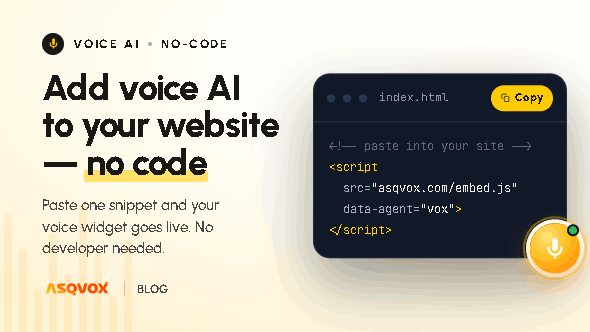
Getting live is built for someone non-technical. You go through a few simple onboarding steps, and at the end you get a script tag to paste on your site. That's the whole thing, and it takes a few minutes.
You can run one widget across the entire site, or set up a separate widget for each page, each with its own knowledge base, tone and purpose, a sales tone on the pricing page, a support tone on the docs, qualification on a landing page.
Your knowledge can be a plain text file, a doc or a PDF. You hand it over, we summarise it and turn it into .md files, and the Orb retrieves from those in real time. That's what keeps its answers tied to your content.
Frequently asked questions
Is AsqVox a HighLevel alternative?
Not in the strict sense. HighLevel is a full CRM; we're only a voice widget. It's an alternative if the thing you actually wanted from HighLevel was the on-site voice widget, not everything built around it.
Can AsqVox be used without a whole CRM platform?
Yes. There's no CRM to buy into. AsqVox is just the voice widget.
How is it different from HighLevel's widget if a lot of the features overlap?
Three things, mainly. It's a standalone widget, so there's no platform to adopt. It activates on the visitor's intent instead of waiting for a click. And it answers from your knowledge base through real-time retrieval rather than a stuffed prompt.
Does the Orb support languages other than English?
English with a range of global accents for now. Other languages are on the roadmap.
Will the voice agent make up answers?
No. It retrieves from the knowledge base you upload and answers from that, instead of improvising.
How long does it take to go live?
A few minutes. Finish onboarding, get the script tag, paste it on your site.
Are technical skills needed to set it up?
No. The onboarding is built for non-technical users.