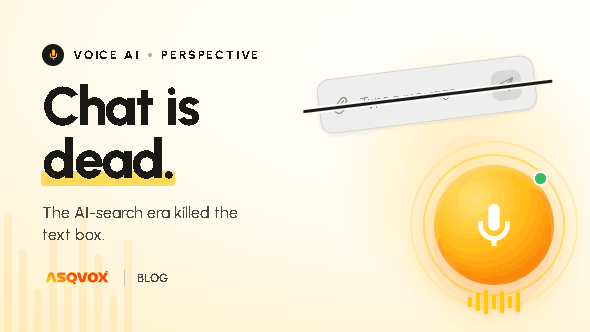
Voice Widget vs Contact Form: Capture More Leads

A contact form sits on your page and waits. The visitor fills in the fields, hits submit, and then waits too, for an email or a callback that may never come. A voice widget answers them in the moment, while they're still on the page and still interested, and it can capture their contact details just like a form does. Here's how the two compare, and where each still fits.
Who's weighing a voice widget against a contact form
This usually comes up when the contact form is the main way visitors are meant to convert, and it isn't pulling its weight. You're getting traffic, the form is right there, but the submissions don't match the visits. Plenty of people land, look around, and leave without ever filling it in. The question behind "voice widget vs contact form" is really: why are so few of these visitors turning into anything, and is there a better way to catch them.
The core difference: a form waits, the Orb talks
A contact form is static. It asks the visitor to do the work, type their name, their email, their message, and then submit and wait for a reply later. Nothing happens in the moment. Whatever question or hesitation the visitor had when they reached the form is still sitting there unanswered when they walk away.
A voice widget is the opposite. The visitor speaks, the way they would to a salesperson in a store, and gets an answer there and then, while they're still on the page and still interested. AsqVox's Orb answers from your own content, so the reply is immediate and specific, not a promise to get back to them.
The visitors a form never catches
Here's the part that's easy to miss. A contact form only captures the small slice of visitors who already decided they were willing to wait. Everyone else, the much bigger group, had a question the form couldn't answer, didn't feel like typing it out for a reply that might come tomorrow, and left. The form never sees them.
The Orb catches that bigger group. It steps in on the visitor's behaviour, when they're about to leave, when they've scrolled past around half the page, or after a few seconds on it, and answers the thing that was holding them back, right when it matters. These are the visitors who would have bounced past a form without a second look.
You still get the lead
The worry with replacing a form is that you lose the lead capture. You don't. The Orb captures contact information in the conversation, so it does the form's core job too. The difference is what comes with it. Instead of a name and a one-line message, you get the actual conversation, a transcript of what the visitor wanted, the tone it carried, and where they hesitated. So you not only keep the lead, you understand it far better when your team follows up.
And it's there the whole time, every hour of every day, with no working hours and no one to wait for. A visitor at midnight gets answered the same as a visitor at noon.
When a contact form is genuinely fine
We're not going to pretend a form has no place. When you genuinely need structured information captured in a specific format, a detailed application, particular fields, a file or document upload, a form is the right tool, and it's simple and costs nothing to run. There are also cases where the visitor expects an asynchronous reply anyway, like a complex quote request with specs to attach. For those, keep the form. The honest position is that a form is fine for collecting structured input, and a voice widget is better for engaging and converting the visitor in the moment.
When the Orb is the better call
The Orb earns its place when you're losing visitors who simply had a question, when you want to answer and capture in the same moment rather than waiting on a follow-up, and when the speed of engaging a visitor decides whether they stay or go. If your form is quietly letting most of your traffic slip away unanswered, that's exactly the gap the Orb is built to close, while still handing you the contact details you were relying on the form for.
Getting started
You can be live in a few minutes without touching code. A short guided setup ends with one script tag to paste onto your site, and from that point the Orb both answers visitors and captures their details, so you keep the lead capture your form was doing. If you want the step-by-step, see how to add voice AI to your website.
Frequently asked questions
Does a voice widget replace a contact form?
For most sites it can. The Orb answers the visitor in the moment and captures their contact details too, which is the form's main job. You'd keep a form only where you genuinely need structured input or file uploads.
Will you still capture leads using a voice widget instead of a form?
Yes. The Orb captures contact information during the conversation, and it also gives you the full transcript and tone, so you understand the lead better than a form's few fields would tell you.
Why would a visitor talk to a widget instead of filling in a form?
Because it answers them straight away. A form makes them type and wait for a reply later. The Orb gives them what they came for in the moment, which is also why it catches visitors who would have left without filling anything in.
Does it work outside business hours?
Yes. It's available every hour of every day, so visitors get answered and captured even when no one's around to read a form submission.
When should you keep using a form?
When you need structured data in a specific format, file or document uploads, or detailed applications, a form is the right tool. For engaging and converting visitors in the moment, the Orb does more.